

A browser click can succeed while the task fails. The target may accept the click and display a validation error. A request may reach the server while the confirmation page times out. A loading indicator may disappear before the result you need is available.
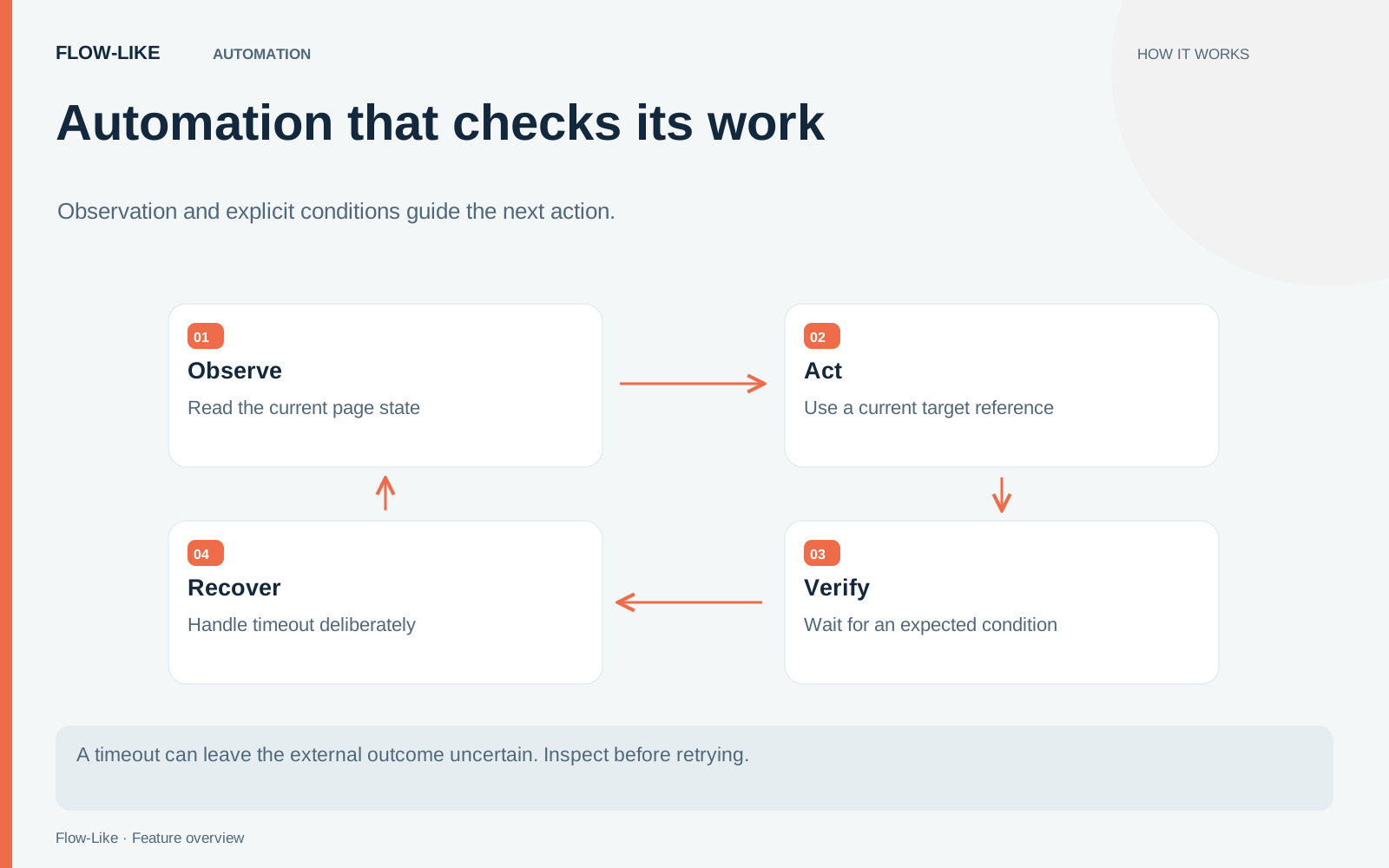
Build the workflow around the expected outcome. Flow-Like’s browser nodes can inspect page state, resolve a current target, wait for a condition, and retain evidence for a recovery decision.
For an example, use a test page that saves a synthetic equipment request and displays its reference. Make the page capable of delaying its response so the timeout path can be exercised deliberately.
Restore only the session you intend to use
A saved browser storage state can help a workflow begin with an existing session. It can also contain cookies and other credentials. Store that file with the same care as other account access material.
Restoration can skip origins it cannot restore. Inspect the reported result and confirm that the intended account and page are active. A successful file read does not establish that every session value was applied.
Use Chrome or Edge for this workflow. The storage-state implementation defines what is saved, restored, and reported as skipped.
Read the page before choosing a target
Take a browser snapshot and inspect the relevant controls. The snapshot exposes references that selector-based nodes can use for an element in the current document.
Those references have a lifetime. When navigation replaces the document, an earlier reference is stale. Take another snapshot instead of trying to reuse an identifier whose target belonged to the previous page.
The reference implementation tracks that document boundary. It lets the flow or an agent connect an observed control to an action while requiring a fresh observation after the page changes.
For the request form, inspect the label and state of each target before filling it. If the required field is disabled or absent, route that condition to a visible failure path.
Wait for a result that means something
After entering the synthetic values, submit once. Then wait for a condition tied to the expected result, such as visible confirmation text, a result element, or the appropriate URL.
The condition-wait node supports several kinds of conditions. Choose the one that reflects this page’s contract. A title change may identify the right screen; a returned request reference can provide stronger evidence for the specific operation.
If you use network-idle waiting, start the network observer before the traffic you intend to observe. That wait depends on the observer. A quiet network is also only a technical condition; it does not establish that the business operation was accepted.
Treat an uncertain submission differently
Deliberately delay the test page beyond the workflow’s timeout. On that branch, preserve the current state and check whether the request was created.
Do not blindly submit again. The server may have accepted the first request even though the browser never showed its confirmation. A retry policy for opening a page is different from a retry policy for creating an external record.
Where the target application provides a lookup or an idempotency mechanism, use it. Otherwise, surface the uncertainty for review. The automation should be able to report what it observed without inventing a success or failure it cannot establish.
Keep useful evidence
Capture the final page, relevant text, or a PDF when that output is appropriate. Limit captured content to what the operator needs to understand the result; authenticated pages can contain sensitive information beyond the test form.
Run the normal case and the intentional timeout on the intended browser and platform. Confirm compatibility and live behavior in the environment you will use.
A checked automation can explain its work: which page it observed, which target it acted on, what condition it waited for, and what evidence justified the next step.
Get automation insights delivered
Sign up for our newsletter to receive the latest updates on Flow-Like, automation best practices, and industry insights. No spam — just valuable content.