
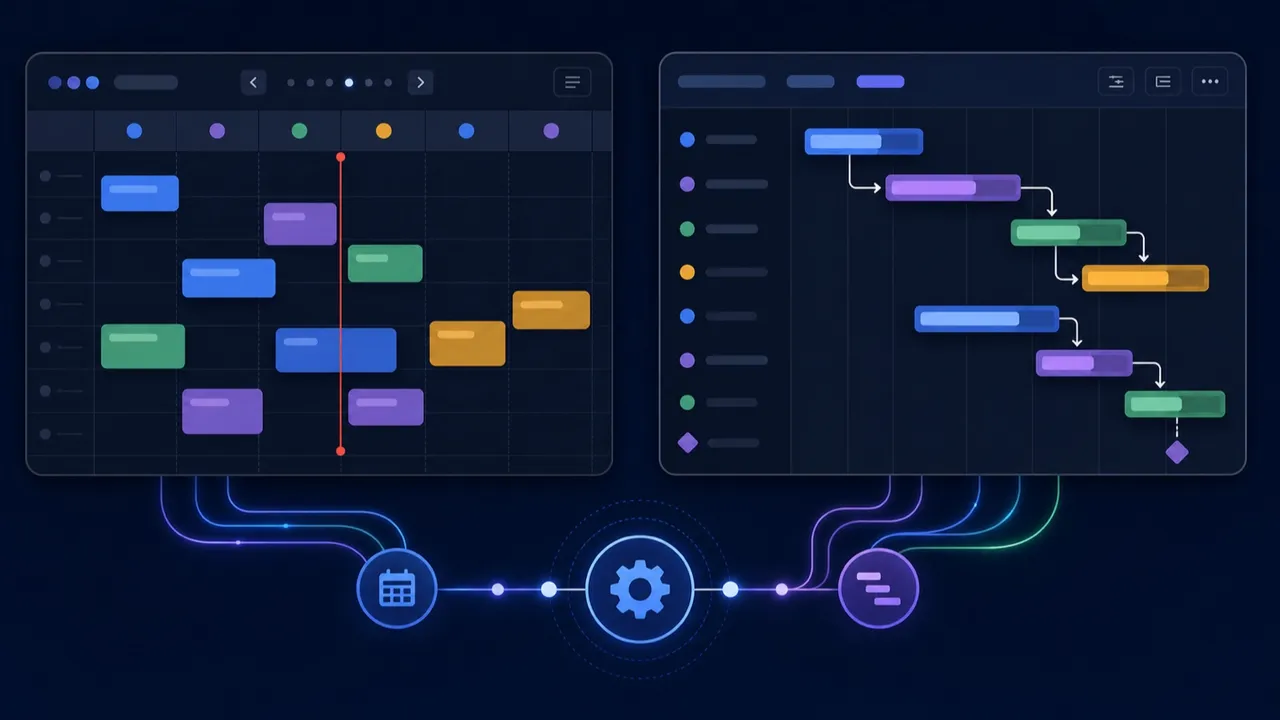
Two of the most-requested UI elements have landed together, because they’re really the same idea seen from two angles: when things happen. Flow-Like now has a full interactive Calendar and a dependency-aware Gantt timeline, both as first-class A2UI elements you can drop into a page — and both wired straight into your flows.
Not read-only widgets — live surfaces
These aren’t static charts you feed once. They’re interactive, and every interaction is a signal back into your workflow.
The Calendar does month, week, day, and agenda views, with a “now” indicator, all-day rows, and Google-Calendar-style overlap handling so colliding events lay out in neat columns instead of stacking on top of each other.
The Gantt does day/week/month/quarter and a compact view, with task bars, progress fills, dependency arrows, milestones, and a task list you can collapse. Assignees can be free text — or a team member, in which case they resolve to an avatar and name.
Both render from a plain array of data. A calendar event is exactly what you’d expect:
export interface CalendarEvent {
  id: string;
  title: string;
  start: string; // ISO 8601
  end?: string;  // ISO 8601
  allDay?: boolean;
  color?: string;
  description?: string;
  location?: string;
  link?: string;
  metadata?: Record<string, unknown>;
}
A Gantt task adds progress, dependencies (predecessor task ids), parent, milestone, and assignee. That’s the whole contract — hand the element an array, and it draws.
Every drag fires a flow
The magic is the round-trip. When a user creates, moves, resizes, opens, deletes, links, or reorders something in the UI, the element fires a bound workflow action with the interaction and the relevant ids and dates:
const fire = useCallback(
  (interaction: string, extra: Record<string, unknown>) => {
    void trigger(component.actions, { interaction, ...extra });
  },
  [trigger, component.actions],
);
So dragging an event to a new day, or linking two Gantt tasks into a dependency, runs a flow — where you can persist the change, validate it, send a notification, whatever the app needs. The UI and the backend stay in sync because the UI is an input to the backend.
Driven from the backend, too
The traffic goes both ways. Two new catalog nodes — Update Calendar and Update Gantt — push changes into the elements at runtime. They’re operation-driven: pick an operation from a dropdown and the node swaps in exactly the pins that operation needs. Between them they cover a lot of ground:
- Update Calendar — Set / Add / Update / Remove events (singular and bulk), Set View, Set Date, Set Config, Get Events, Diff Events, Get Config (13 operations)
- Update Gantt — the task equivalents plus Set Progress, Add/Remove Dependency, and Diff Tasks (15 operations)
Those Diff operations are the closing of the loop: given a previous snapshot and the current UI state, a flow can compute exactly which items were created, updated, or deleted — so user edits can be reconciled back into your database cleanly.
Built to be robust about dates
The unglamorous foundation is a React-free planning-utils module, unit-tested on its own, that handles the two things date UIs always get wrong: parsing and layout. Its date parser never returns NaN and treats a bare YYYY-MM-DD as a local calendar day (not a UTC midnight that shifts your event to the wrong day in half the world’s timezones). Its layout function clusters overlapping events by transitive overlap and assigns each the leftmost free column. There are density presets — compact, default, comfortable — shared across both elements, and a responsive mode that auto-switches a narrow calendar to agenda and a narrow Gantt to compact.
Naturally, FlowPilot knows about both elements, so you can ask the AI builder to “add a project timeline” and get a real Gantt wired to a real flow.
One thing these don’t do: they don’t sync with Google Calendar or Outlook, and there’s no recurring-event engine — they render whatever events and tasks your flow supplies. That’s by design. Where the data comes from, and what a drag means, is your flow’s decision. The elements just make “when” visible and editable.
Find them in the component palette under Calendar and Gantt, and go schedule something.
Get automation insights delivered
Sign up for our newsletter to receive the latest updates on Flow-Like, automation best practices, and industry insights. No spam — just valuable content.