
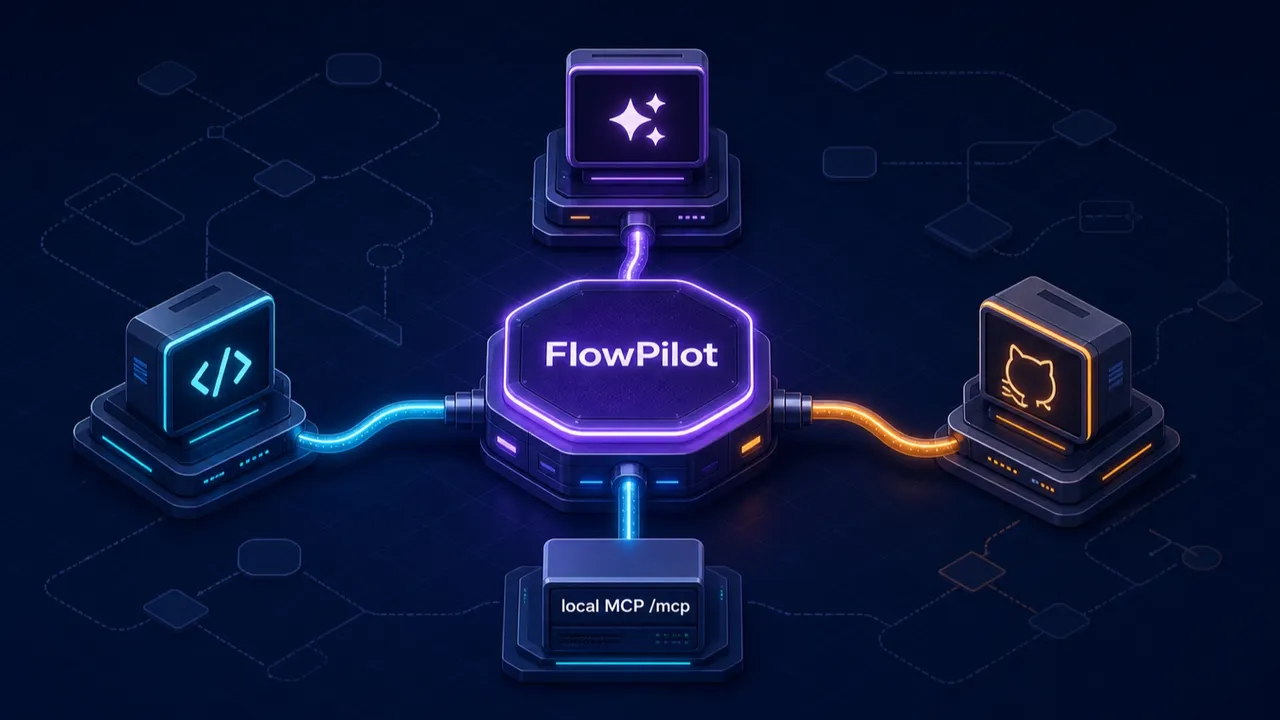
FlowPilot has always been able to run on your profile’s own models. Now it can be driven by the coding agents you already have installed. This release fully wires up Claude Code and Codex as FlowPilot backends, joining GitHub Copilot and the built-in “Bits” models.
So there are four ways to power FlowPilot on the desktop:
export const AGENT_BACKEND_PROVIDERS: AgentBackendProvider[] = [
  "github-copilot",
  "codex",
  "claude-code",
];
…plus Bits, the models configured in your profile. Pick one from the provider selector and FlowPilot’s brain changes while everything else stays the same.
Local CLIs, not remote APIs
The important thing to understand: Claude Code and Codex aren’t hosted API calls. They’re the locally-installed CLI binaries you already run in your terminal, and FlowPilot drives them as local processes. GitHub Copilot is the exception — it uses its direct SDK rather than the external CLI runner.
The trick that makes this work is MCP. When you kick off a run, FlowPilot spins up a small local MCP server — bound to 127.0.0.1 on a random port, at /mcp — that exposes its shared workflow and UI tools. Then it launches the agent CLI pointed at that endpoint. The agent doesn’t edit files or run shell commands to change your flow; it calls FlowPilot’s MCP tools, the same get_current_flowscript / edit_flowscript tools everything else uses.
For Codex, that’s codex exec with the MCP server passed via config overrides:
let mut args = vec![
    "exec".to_string(),
    "--experimental-json".to_string(),
    "--sandbox".to_string(), "read-only".to_string(),
    "--skip-git-repo-check".to_string(),
    "--config".to_string(), format!("mcp_servers.flowpilot.url={:?}", mcp_url),
    "--config".to_string(), "mcp_servers.flowpilot.tool_timeout_sec=1800".to_string(),
    "--config".to_string(), "features.use_rmcp_client=true".to_string(),
];
For Claude Code, it’s claude -p with a temp MCP config file:
let mcp_config = serde_json::json!({
    "mcpServers": { "flowpilot": { "type": "http", "url": mcp_url } }
});
// claude -p --output-format stream-json --verbose
//   --include-partial-messages --strict-mcp-config --mcp-config <file>
Because the agent works through MCP tools rather than the filesystem, the same safety rails apply: edits go through FlowScript, deletions are guarded, and changes land as one undoable batch. The agent is powerful, but it’s editing your flow through the front door.
Two things that made it actually work
Wiring a CLI agent to a long-running UI-generation tool surfaced a couple of sharp edges, both fixed in this release:
- Longer tool timeouts. Building a page with
flowpilot_widgetcan take a while — longer than Claude Code’s default 300-second MCP tool timeout. FlowPilot now setsMCP_TOOL_TIMEOUTto 1,800 seconds for Claude Code so a big UI generation isn’t aborted mid-flight, matching Codex’s bound. - Environment passthrough. The external-agent runner gained the ability to set environment variables on the spawned process, which is what makes that timeout override — and future config — possible.
Models are discovered, not hardcoded
Neither backend ships a baked-in model list. FlowPilot asks the CLI what it can run. For Codex, it drives codex app-server over JSON-RPC and reads the model catalog; for Claude Code, which has no model-list command, it drives the stream-JSON control protocol’s initialize handshake and reads the models from the response — the same set the Agent SDK sees. Either way, if discovery fails, there’s a synthetic “configured default” entry that just defers to whatever the CLI is set up to use. Model ids carry a provider prefix (codex:…, claude-code:…) so FlowPilot always routes a request to the right backend.
FlowPilot also finds the CLIs for you — from your PATH, from standard install locations, from IDE extension bundles — and you can always override the path with an environment variable if your setup is unusual.
A note on where this runs
These agent backends are desktop-only. They’re local CLI processes, so they need Tauri; the provider selector disables them in the browser, where FlowPilot runs on your profile’s models instead. That’s the same split described in the FlowPilot post: the tools are identical everywhere, but the coding-agent brains are a desktop luxury.
While we’re talking providers
Separately — and not to be confused with FlowPilot’s brains — the model catalog picked up two new OpenAI-compatible provider nodes for building flows: MiniMax (default model MiniMax-M3) and Atlas Cloud (a single OpenAI-compatible endpoint fronting DeepSeek, Qwen, GLM, Kimi, MiniMax and more). Those are model sources you wire into a workflow — different subsystem, same theme: bring the models you like.
If you live in Claude Code or Codex all day, now you can point them at your Flow-Like boards and let them build. Pick your agent in the provider selector and go.
Get automation insights delivered
Sign up for our newsletter to receive the latest updates on Flow-Like, automation best practices, and industry insights. No spam — just valuable content.