
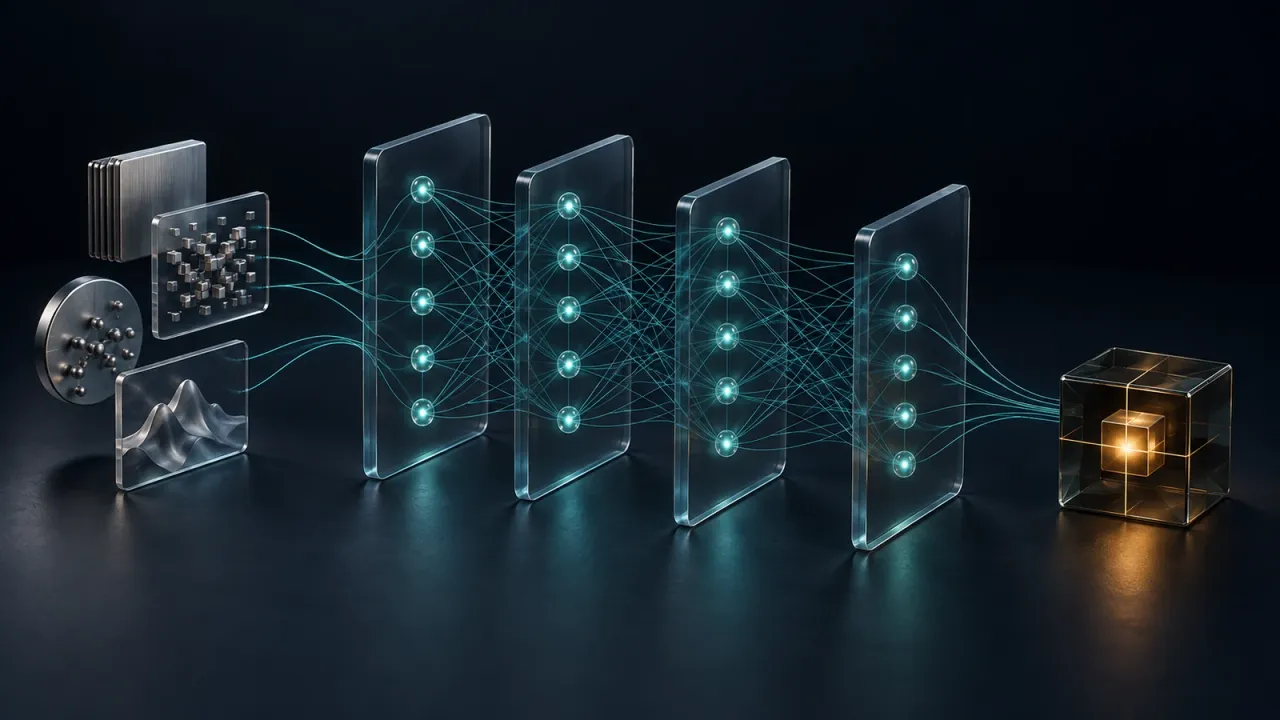
A defect detector needs a workflow around it. Someone has to collect representative images, prepare them consistently, measure predictions against reviewed outcomes, and connect the result to an inspection decision. The same work surrounds a forecasting model built from vibration signals or a predictor trained on production records.
Flow-Like’s new deep learning and machine learning nodes put that work on the same canvas. You can train image classifiers, temporal networks, anomaly models, and classical predictors, then connect their outputs to the applications and equipment you already use. Training becomes an explicit part of the flow, with named inputs, saved model artifacts, and deployment decisions you can inspect.
Start with the decision you need to make
The useful question is what the workflow should produce. A pass/fail inspection needs a class. Predicting a measurement needs a number. Finding a defect within a frame needs a location or a mask. Those differences guide both the training data and the model family.
The catalog gives those tasks distinct paths. Train ResNet-18, Train MobileNetV2, and Train EfficientNet handle image classification. Train YOLOX learns bounding boxes around objects. Train U-Net assigns classes across an image, while Train Mask R-CNN separates individual objects with their own masks. That distinction matters when the next step must count parts, identify a damaged region, or associate a result with one item on a belt.
For measurements over time, Train LSTM, Train GRU, Train 1D CNN, and Train TCN work with sequences. A temporal model sees a window of readings, so it can learn how a signal changes before an event. Train MLP handles prepared numeric features, and Train Image/Sensor Fusion Model combines image evidence with sensor channels in an explicitly configured input layout.
Explore the families below to see how the input, training step, and useful output fit together.
Explore the model families
Start with the shape of your problem.
Choose a task to see its inputs, model families and path into a workflow.
Tabular / Model families
Turn named features into a prediction
Use pressure, temperature and part attributes to predict a quality outcome.
- MLP
- Histogram Gradient Booster
- Decision Tree
- Logistic Regression
- Map featuresNumeric and categorical columns
- TrainFit a model to labeled rows
- EvaluateMeasure independent predictions
- PredictReuse training preprocessing
Give the model the evidence the task requires
Consider an inspection for a rotating component. A single vibration value may look ordinary even when the surrounding sequence is changing. Sensor Window groups readings into the input shape a temporal model expects. Signal FFT, Signal STFT, and Signal Band Energy provide frequency-based features when the useful distinction lives in the signal’s spectrum.
A camera workflow has its own preparation step. Preprocess Inspection Image creates the image tensor, a shaped array of numeric pixel values consumed by the model. Build Visual Sequence stacks ordered frames for Train CNN-LSTM Video Model. When an inspection uses both a frame and machine readings, Align Modalities associates the frame with sensor evidence available at its timestamp.
The same preparation belongs in the prediction path. A network trained on a particular image shape or sensor window expects that contract when new evidence arrives. Keeping those transformations visible in the workflow makes the dependency clear to the person maintaining it.
Dataset identity matters too. Record Training Sample stores capture time and label provenance with a versioned annotation. Related frames or overlapping windows share a group so their evidence stays together during splitting. This gives the evaluation a meaningful question: how does the model handle independent examples?
Learn what normal looks like
Many inspections have abundant examples of acceptable operation and few examples of every possible failure. The anomaly nodes provide a path from that normal data to a useful score.
Train Isolation Forest works with sensor or embedding features. Train Dense Autoencoder, Train Convolutional Sequence Autoencoder, and Train LSTM Autoencoder learn to reconstruct their inputs; reconstruction error becomes evidence that a new example differs from the learned pattern.
For visual inspections, Extract Image Features and Feature Map to Patches connect an image backbone to Train PatchCore Memory Bank or Train PaDiM. These models compare local image features against normal examples. Train EfficientAD trains from normal images using supplied, compatible pretrained teacher weights. The workflow can use the resulting score to select images for review or trigger a closer inspection.
Keep classical models in the comparison
A table of measurements often deserves a strong baseline before a neural network. The expanded catalog includes Train Gradient Boosted Trees, a native histogram-based learner for binary classification and regression, alongside existing decision trees, random forests, logistic regression, and other classical methods.
Flow-Like also treats ordered outcomes as their own task. If inspection grades run from minor through critical, a prediction two grades away carries a different consequence from a neighboring grade. The ordinal nodes preserve that order, including a neural CORAL/CORN model for nonlinear relationships.
The machine learning guide walks through those choices and the corresponding evaluation nodes. The practical advantage is continuity: changing the model family does not require moving data preparation, downstream actions, and application logic into a separate project.
A training run has a life beyond one execution
Neural trainers create durable jobs backed by the executor’s persistent local app storage. Training Job Status exposes their progress and saved artifacts. Cancel Training, Resume Training, and Recover Training Jobs manage work across interruptions, with checkpoints preserving weights, optimizer state, and sampler state.
Compute selection is part of the configuration. Automatic selection checks the available CUDA, ROCm, WGPU, and CPU backends in that order. Probe Training Device reports the selected device; a workflow can also request a specific backend. Classical native models execute on CPU.
Once training finishes, Student Model Inference loads a versioned model for predictions. In inspection workflows, a student is the trained model that takes over a task previously handled by a teacher. Evaluate Student measures classification quality against reviewed evidence, and Evaluate Inspection Task covers task-specific outcomes such as detection and segmentation. Promotion nodes apply the configured quality policy before Route Inspection sends decisions to the student. Rollback Student restores the previous deployment when needed.
These nodes also form the foundation of the AI training agent, which coordinates model experiments. The industrial protocol nodes bring machine data into that same workflow. Together, they connect the source of an observation to the model, its measured result, and the action an application takes.
Start with one decision and a dataset that represents it. The training and inspection guide shows how to connect the preparation, training, evaluation, and routing nodes into a complete flow.
Get automation insights delivered
Sign up for our newsletter to receive the latest updates on Flow-Like, automation best practices, and industry insights. No spam — just valuable content.