

Two people can ask an AI client to call the same workflow tool and still need different outcomes. One may be allowed to execute an app’s operations; the other may have no access to that app.
Authenticated hosted MCP can carry that distinction into Flow-Like. With Flow-Like Authentication enabled, the server verifies the caller’s OAuth access token, resolves it to an existing Flow-Like account, and checks app execution permission. The workflow receives the executing user’s identity, role, and credentials.
This is an opt-in setting for a hosted public MCP endpoint. Local and standalone MCP servers cannot enable it.
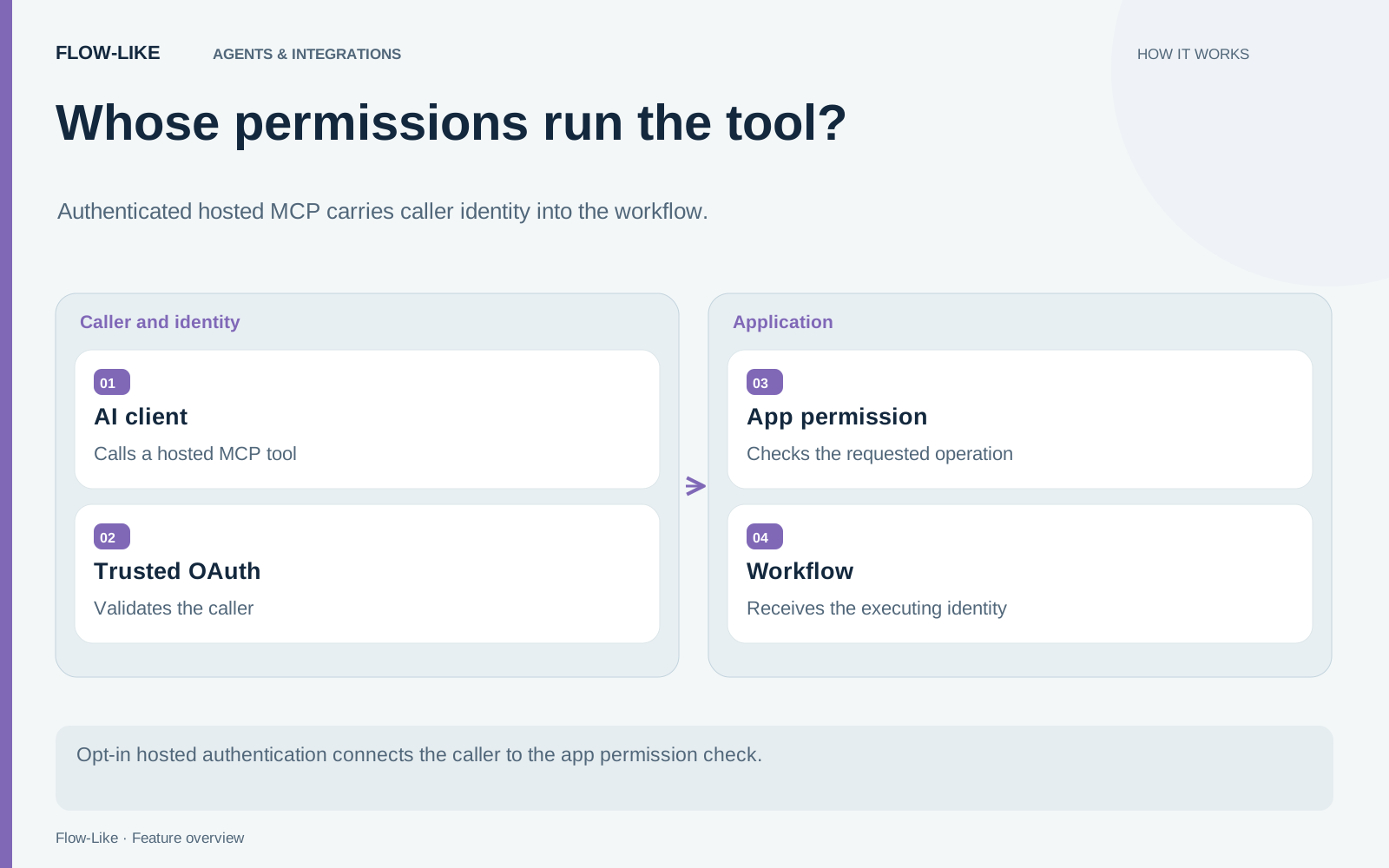
Decide whose identity the tool should use
MCP, the Model Context Protocol, gives an AI client a way to discover and call tools. Exposing a workflow through that interface does not, by itself, decide which Flow-Like account should execute it.
The flow_like_auth option on the MCP server configuration supplies that choice. It defaults to false to preserve existing servers’ execution identity. OAuth claims can still be available to the workflow through caller metadata when the option is disabled, but verified claims alone do not switch execution to a Flow-Like user.
Enable the option when the operation should use the signed-in caller’s existing app access. For a first test, expose a small read-only tool that returns Get Executing User. It gives you an observable identity without changing business data.
Configure the trust relationship
The platform operator must configure the OAuth provider as a trusted Flow-Like OpenID provider. The client identifier must also be allowed by the platform.
Connect the authentication configuration with an explicit issuer, audience, and required scopes. The audience is the canonical public MCP URL, including its /m/ path. The issuer must agree with the trusted provider configuration.
These checks prevent an unrelated issuer from supplying a matching subject string and acquiring someone else’s Flow-Like account. The account must already exist and have permission to execute Events in the app.
The authenticated MCP guide explains the configuration in detail. The server configuration checks require OAuth bearer authentication, explicit issuer and audience, and hosted execution.
Test an allowed and a denied caller
Use two test accounts with deliberately different app access. Sign the first account into the AI client and call the identity tool. Verify that Get Executing User reports the expected Flow-Like account.
Then try the same tool with the account that lacks app execution permission. The useful outcome is a denial before the workflow operates under that account. Finally, remove the first account’s permission and check subsequent calls.
This test distinguishes successful sign-in from permission to use a particular app. An OAuth flow that completes in the browser is only one part of the path.
The MCP access token is scoped to the MCP resource. It is not passed into execution as a general Flow-Like API bearer token. Workflow execution obtains the applicable identity and credentials through the platform’s own authorization path.
Keep the identity-provider path precise
The documented Microsoft Entra setup uses Entra as an upstream identity provider for the existing Cognito pool. Cognito issues the token presented to the MCP endpoint, and Flow-Like validates that trusted issuer and account subject.
Use the Cognito-issued token for this setup. A standard Entra v2 access token has different audience, scope, and subject semantics and cannot be substituted for it. Registering a matching resource name alone does not resolve that identity mapping.
For an operator, the practical question is whether ordinary Flow-Like sign-in and the AI client’s sign-in resolve to the same intended account. Verify that explicitly instead of assuming that matching email addresses establish identity.
Once the identity tool behaves correctly, expose a useful app operation with a narrow contract. Keep its required permission visible and test it again with both accounts. The result is an AI-accessible workflow whose authority follows the person calling it.
Get automation insights delivered
Sign up for our newsletter to receive the latest updates on Flow-Like, automation best practices, and industry insights. No spam — just valuable content.