

A useful workflow often needs a small front door. Colleagues need somewhere to request a report. Customers need a form. A team needs a page that starts a familiar task without opening the editor.
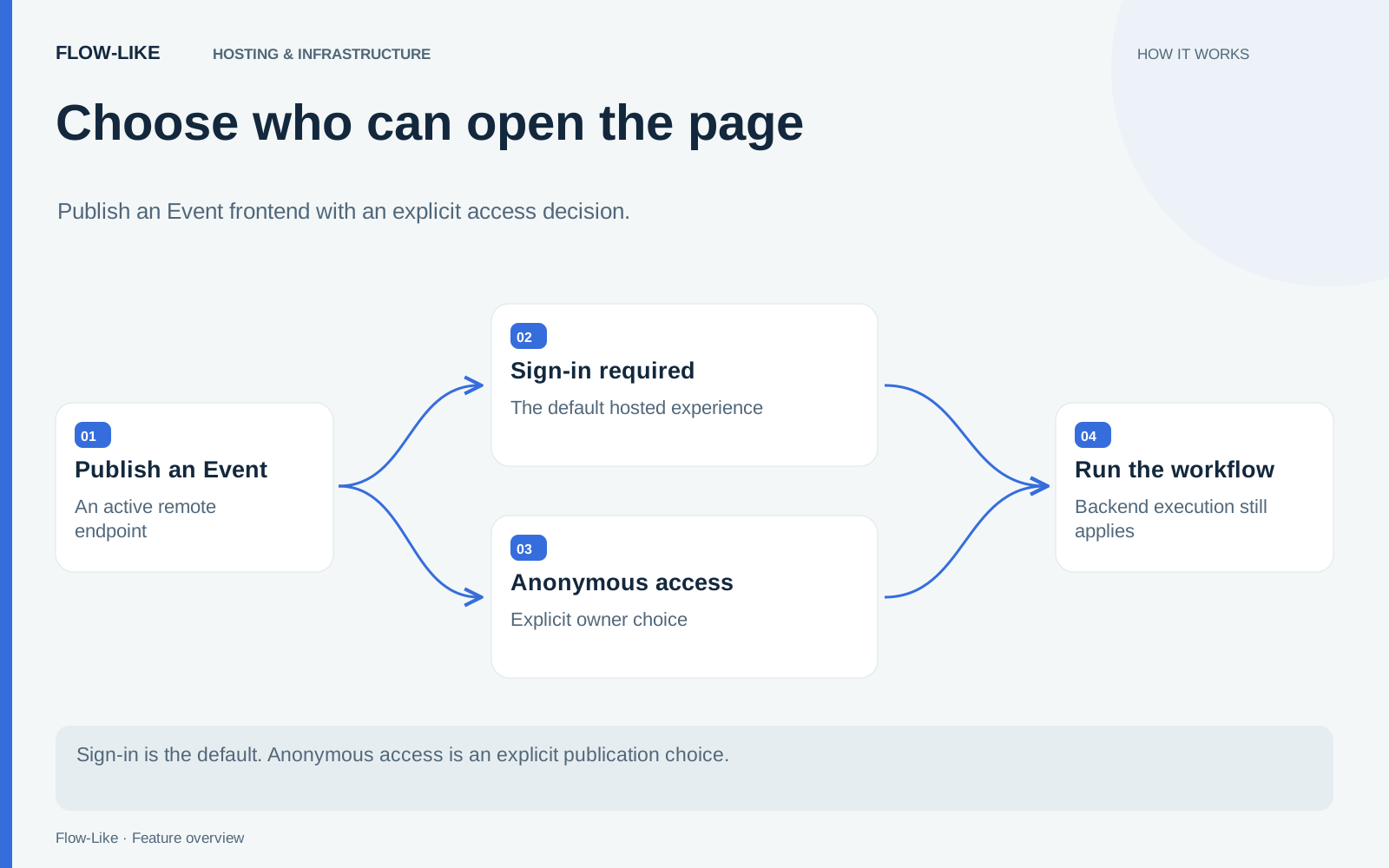
Flow-Like can host an Event’s frontend on an app link. An Event is the entry point that connects an interaction to the workflow it runs. Publishing its page gives people that interaction at a stable route, while you choose whether visitors must sign in.
For an internal report, keep authentication required. For a public request form, anonymous access is an explicit choice. Those two cases can look similar in the browser while carrying very different permissions and operating costs.
Give the Event a page and a published route
Prepare the page or chat interface that the Event should expose. Check its inputs and the result a visitor will receive. A report request might need a reporting period and return a file; a public inquiry form might need contact details and a confirmation.
Publish the Event for remote execution, then use its hosting controls to enable the route. These controls connect the page to the published workflow that handles a visitor’s request.
The hosted URL uses the app and route, in the form /a/<app-id>/<route>. Related published routes can share that app address. This keeps the interface attached to the app that owns it, rather than asking people to assemble separate editor links.
Keep team tools behind sign-in
Hosting starts with sign-in required. Visitors authenticate before using the route, and the app’s permissions determine the work they can perform. Give the intended team access to both the entry point and the resources needed for the task.
For a reporting app, that means colleagues can open the form, submit the reporting period, and retrieve the file produced by the workflow. An account with permission to open the app may have narrower access than its owner, so configure the required actions for the team that will use them.
Published-route discovery keeps sign-in modes consistent across the app’s navigation. Link to the published destinations you want visitors to reach.
Open anonymous access deliberately
For a public form, enable Allow anonymous access in the hosting controls. The confirmation explains the consequence: anyone with the link can run that route without signing in, and anonymous usage is charged to the app owner, including compute and model usage.
Choose the workflow’s inputs, actions, and outputs with that audience in mind. A visitor should receive exactly the public task you intended to offer. An internal search tool with confidential sources is a different service, even if its page could be placed behind the same kind of link.
Anonymous hosting uses the public route’s execution identity even when a visitor is signed in elsewhere in the application. The form therefore follows its public access policy regardless of the account open in that browser.
Static frontend, running workflow
The page can be served as static frontend content. Its actions still use the backend to invoke the Event and perform work. Database queries, model calls, file creation, and other workflow operations retain their execution requirements.
Operate the frontend and execution service together. A reporting page depends on the workflow service and its data sources to produce the requested file, even when its HTML and styles are served from static storage.
The page serves its published asset set. Other files in App Storage retain their own access rules, so you can publish the interface without exposing the app’s entire storage collection.
Share the hosted link
Share the hosted link with its audience. Keep a short description beside it: what the page does, what information to submit, and where the result will appear. Colleagues and customers can start the task from that page without opening the workflow editor.
The hosting controls and frontend API show how publication, authentication, and anonymous access are connected. For building the entry point itself, start with the Events guide.
Get automation insights delivered
Sign up for our newsletter to receive the latest updates on Flow-Like, automation best practices, and industry insights. No spam — just valuable content.