
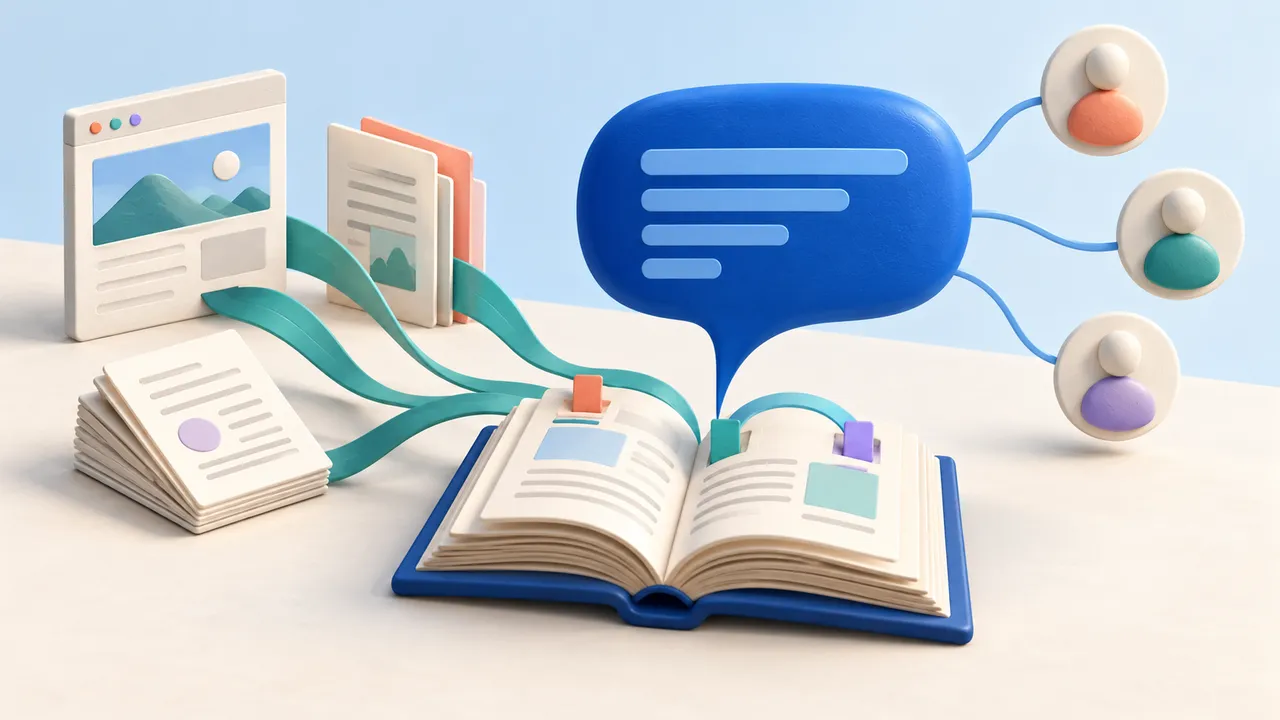
Your team has the documents. Finding the right answer still means searching through product pages, PDFs, and an internal handbook. A shared AI assistant lets colleagues ask about that material in one place.
We built Knowledge Chat for exactly this use case. Add content from websites and files, give colleagues a place to ask questions, and share the assistant with the people who need it. If you have built a custom GPT or a Langdock Agent, the idea will feel familiar.
The part we care about most is what you get behind the chat: a Flow-Like project you can fork and change. You can add SharePoint, change how the assistant finds information, or connect an answer to the next step in your business. You can also run the application on your own infrastructure.
Start with a working assistant, then make it yours
Knowledge Chat gives you a starting project with a chat interface and a workflow for turning source material into answers. The workflow prepares the documents for search, retrieves relevant passages when someone asks a question, and passes those passages to the model.
Forking gives you a copy to develop for your own use. You can open the workflow and follow how a document becomes searchable, which passages reach the model, and how the response is assembled. If the assistant keeps missing a useful section of your handbook, you can change the document preparation or search step directly.
An onboarding assistant might begin with PDFs and public product pages. When the support team needs internal troubleshooting notes or a different model, you can add those to the same project while colleagues keep using a familiar chat.
Where GPTs and Langdock fit
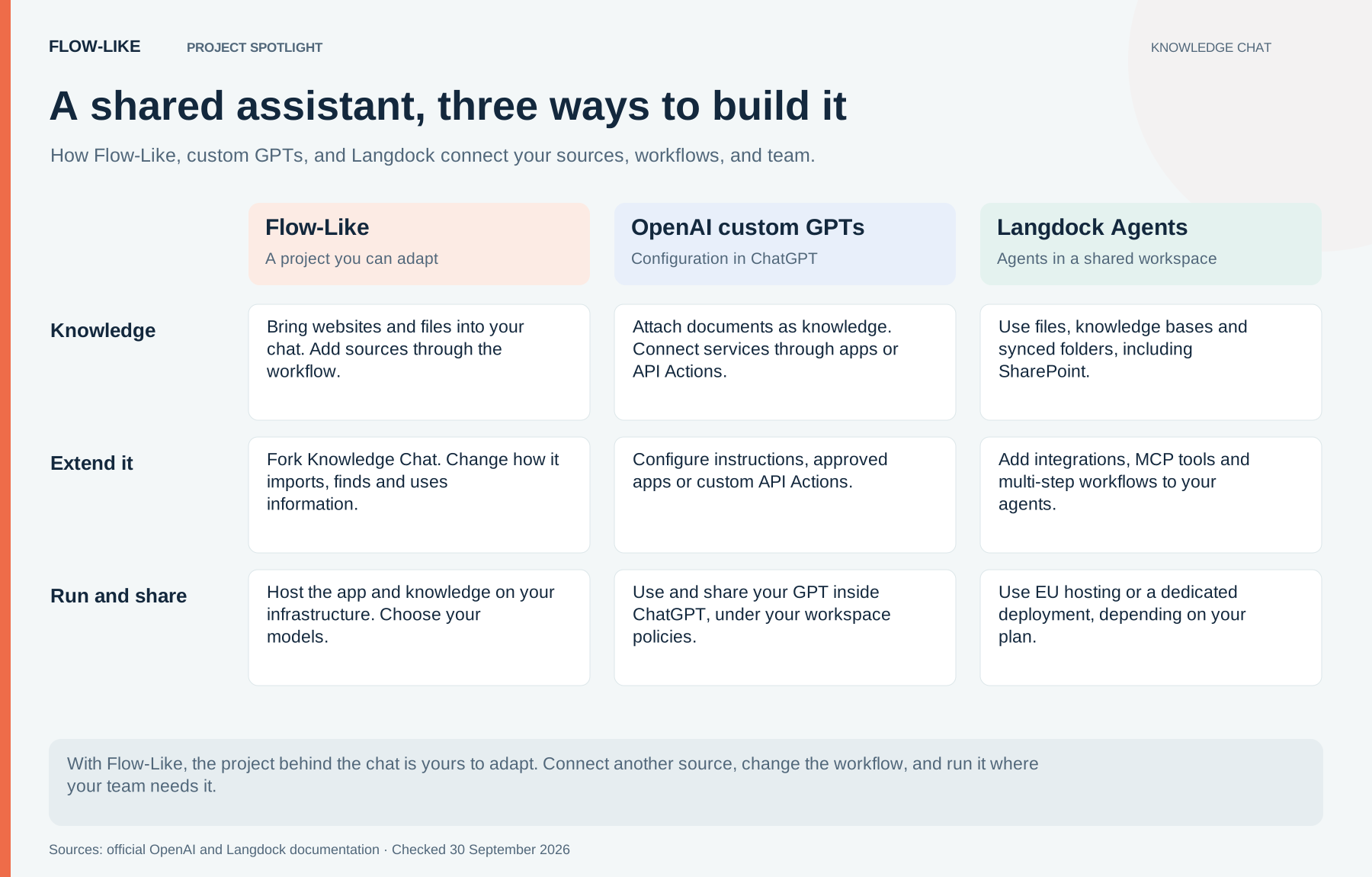
Custom GPTs bring instructions and attached knowledge into ChatGPT. They can also call external services through GPT Actions. For a team already working in ChatGPT, that is a direct way to share a specialized assistant. Sharing and connected services follow the workspace’s controls.
Langdock brings agents into a shared workplace environment. Its Agents support files, knowledge collections, integrations, and workflows. It also offers Folder Sync for sources including SharePoint, Google Drive, OneDrive, and Confluence Cloud.
In Flow-Like, you can edit the ingestion, retrieval, model calls, and follow-up actions in the app’s workflow.
Bring SharePoint into your own workflow
Suppose your product documentation lives on a website, the installation guides arrive as PDFs, and your team keeps its internal handbook in SharePoint. Those sources belong together in the assistant even though different people maintain them in different places.
In your Knowledge Chat fork, connect SharePoint, choose the site and document library, and feed the selected files into the extraction and indexing workflow. The chat can then draw on that content alongside your other sources. Our SharePoint walkthrough follows that extension in detail.
Because the import is a workflow, you decide which folders belong in the collection, how often to refresh them, and what happens when a document changes or disappears. You can use the same approach for another source through its connector or API.
Keep the audience of the collection clear. Importing a document into a search index does not automatically carry over its SharePoint permissions. For a team handbook, you can use a collection approved for that team; finer access rules belong in the retrieval workflow, before the model receives the passages.
Built in Germany, run on your terms
We’re RHEOSOPH, the Munich-based team behind Flow-Like. We believe a German AI product should give you practical control over the application you rely on: where it runs, which services it connects to, and how it uses your data.
You can host Flow-Like on your own infrastructure, keep the knowledge store there, and use a model you operate yourself. If you prefer a hosted model, you can connect that instead. The choice determines where the model inputs are processed, so it belongs with the team responsible for the data.
Langdock also offers EU hosting and dedicated deployment options. With Flow-Like, self-hosting sits alongside the ability to edit the application itself.
Let the assistant do something with the answer
A support assistant can find an installation guide. It can also become the starting point for a support process: collect the missing details, prepare a ticket, and ask a colleague to approve the handoff. In Flow-Like, you can build those steps around the retrieval and chat you already have.
GPT Actions and Langdock’s workflows offer extensions too. In Knowledge Chat, those steps become part of your app, with its own interface and a workflow you can keep developing.
Open Knowledge Chat, fork the project, and bring a few of the sources your team reaches for every day.
Get automation insights delivered
Sign up for our newsletter to receive the latest updates on Flow-Like, automation best practices, and industry insights. No spam — just valuable content.