

A useful reading list is usually spread across several feeds. Product releases arrive as RSS, research updates use Atom, and another source publishes JSON Feed. Reading all of them in full is one option. Building a list around your own interests is another.
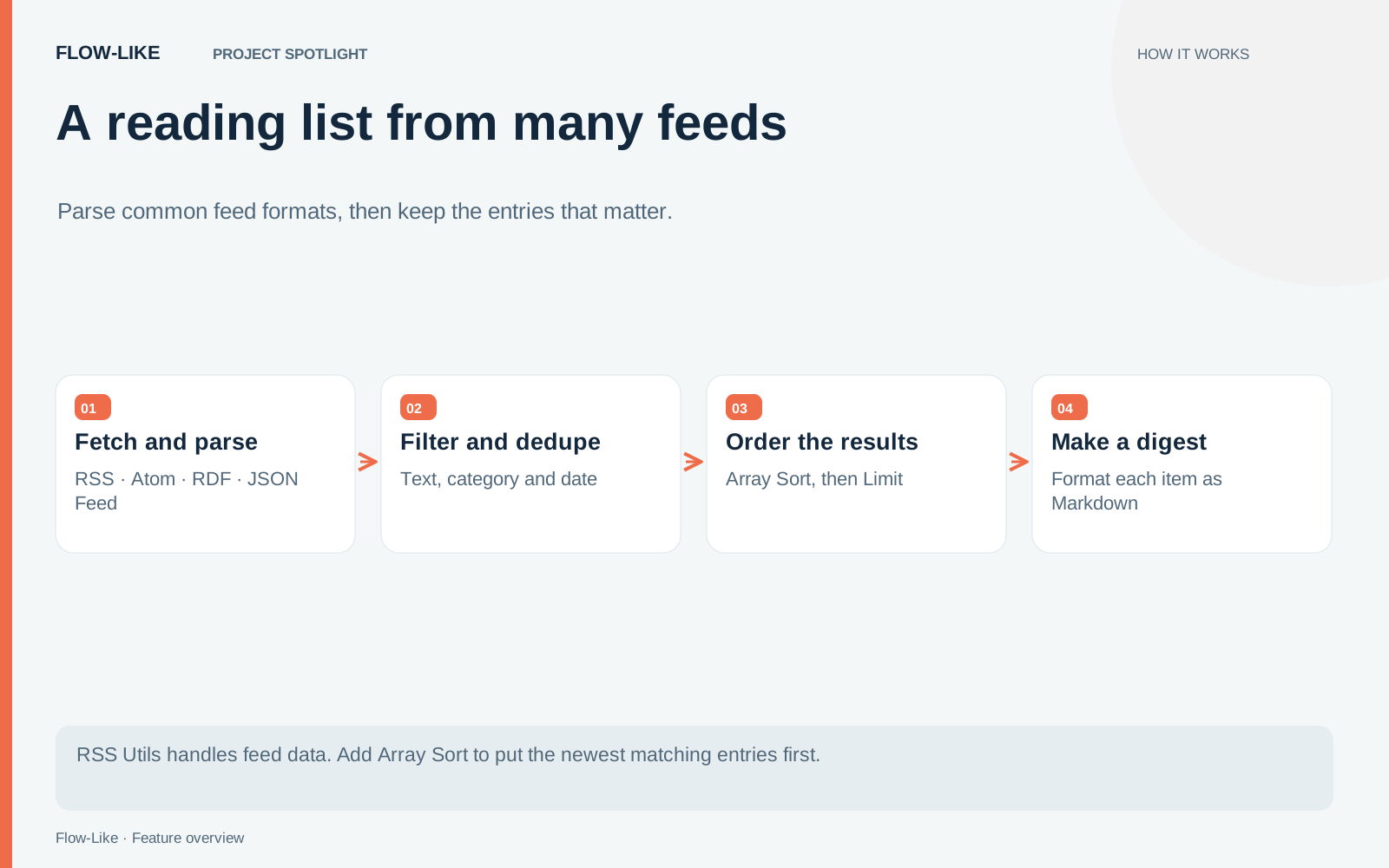
The RSS Utils package handles the parsing and selection work in Flow-Like. It brings common feed formats into a shared structure, with nodes for text search, category and date filters, duplicate removal, limiting, and Markdown output. Add the built-in Array Sort node and you can put the newest matching entries first.
This spotlight uses the package also referred to as RSS Parser. Its package ID is com.rheosoph.node-package-rss-utils; the source version described here is 0.1.0.
Try the idea · illustrative data
Build your reading list
Filter five invented feed entries. The two copies of the database release become one item, then the newest dated items come first.
3 matching entries
- Research notes on retrieval2026-09-30 · Research · Atom
- Keeping a service available2026-09-29 · Engineering · Atom
- A database release to review2026-09-28 · Engineering · RSS
See the input entries
- A database release to review · RSS · 2026-09-28
- Research notes on retrieval · Atom · 2026-09-30
- A database release to review · JSON Feed · 2026-09-28
- Keeping a service available · Atom · 2026-09-29
- A research reading list · RSS · undated
This illustration filters titles and uses an example ID for deduplication. RSS Utils searches additional fields and has its own item identity rules. Array Sort supplies ordering in the actual workflow.
Fetch the feed, then parse it
Install RSS Utils in the environment where you build the workflow. Use an HTTP request node to fetch a feed’s contents, then pass the response into the package’s parser. Fetching and parsing are separate steps, so you can inspect an HTTP error before treating its response as feed data.
The parser supports RSS, Atom, RDF, and JSON Feed. Publishers still vary in the fields they supply. Look at the parsed title, link, dates, and available content for each source you add. A short summary in a feed remains a short summary; parsing does not download the full article behind its link.
For a product watchlist, begin with two feeds you already trust. Parse each one, combine their entries, and inspect the combined result before adding selection rules. That intermediate view tells you whether a missing item was absent from the source or removed later.
Make the filters reflect your reading habits
Text search uses substring matching. A query such as database keeps entries whose searchable fields contain that text. It is useful for a topic with a distinctive name. It will not infer that an unfamiliar product belongs to the same category.
Category filtering uses the category labels supplied by the publisher. Matching is exact with ASCII case-insensitive comparison, so inspect those labels before choosing one. Two publishers can use different names for the same subject.
Date filtering is useful when you want a bounded period. Decide what to do with undated entries. Excluding them keeps the period precise; including them can preserve valuable material from a feed with incomplete metadata. Either choice should be visible in the workflow.
Sort before taking the first few items
Duplicate removal keeps the first entry with a matching item identity. When sources overlap, put the preferred source earlier in the combined input if you care which copy survives.
Next, add Array Sort and configure the field as release_timestamp, the comparison as Number, the direction as descending, and nulls last. Now the dated entries are ordered from newest to oldest, followed by those without a usable release timestamp.
Only then apply Limit Feed Items. Limiting an unsorted array would take the first entries in input order, which could favor whichever feed happened to be combined first. The sorting node is part of Flow-Like’s general array tools; RSS Utils supplies the feed operations around it.
Give the result somewhere to go
Format the selected entries as Markdown. A title and source link are often enough for a compact reading list; include the available summary when it helps someone decide what to open.
Keep the first output local or in a preview while you tune the filters. An empty result can be correct. It should be distinguishable from a failed request, a parse error, or a publisher changing its feed format.
If you want a daily delivery, connect an explicit schedule and your chosen delivery workflow. The package’s parsing nodes do not provide a complete recurring delivery service on their own. Add a rule for empty days so colleagues do not receive a blank digest.
Adding another feed then becomes a contained change: fetch it, inspect its parsed fields, and join it to the existing selection path. Your reading criteria stay in one place.
The package source and Array Sort implementation show the operations behind this recipe.
Get automation insights delivered
Sign up for our newsletter to receive the latest updates on Flow-Like, automation best practices, and industry insights. No spam — just valuable content.