

A workflow can prepare a useful action before it has permission to perform it. It might assemble a message, propose a record change, or choose a report to generate. An interactive step lets the person inspect that proposal while the run waits for a reply.
Consider an app that prepares a summary before adding it to a case record. The person sees the proposed text in the chat, chooses whether to continue, and receives a result that reflects that choice. The decision stays beside the information needed to make it, within the same attended run.
Ask a question the workflow can interpret
Add Single Choice from Events/Chat/Interaction. Set its name and description to explain the pending action, and supply clear options such as “Continue” and “Cancel.” Leave freeform responses disabled when the next step requires one of those specific choices.
Set a timeout appropriate to the interaction and connect both execution outputs. Done means a response was received. It does not mean the person approved the action. Inspect Response and branch on the selected option before performing the proposed work.
That distinction is easy to miss in a visual flow. Connecting every response directly to an action would treat “Cancel” as permission to continue. Make the decision visible on the canvas and keep the cancellation result understandable in the interface.
Follow the reply back to the run
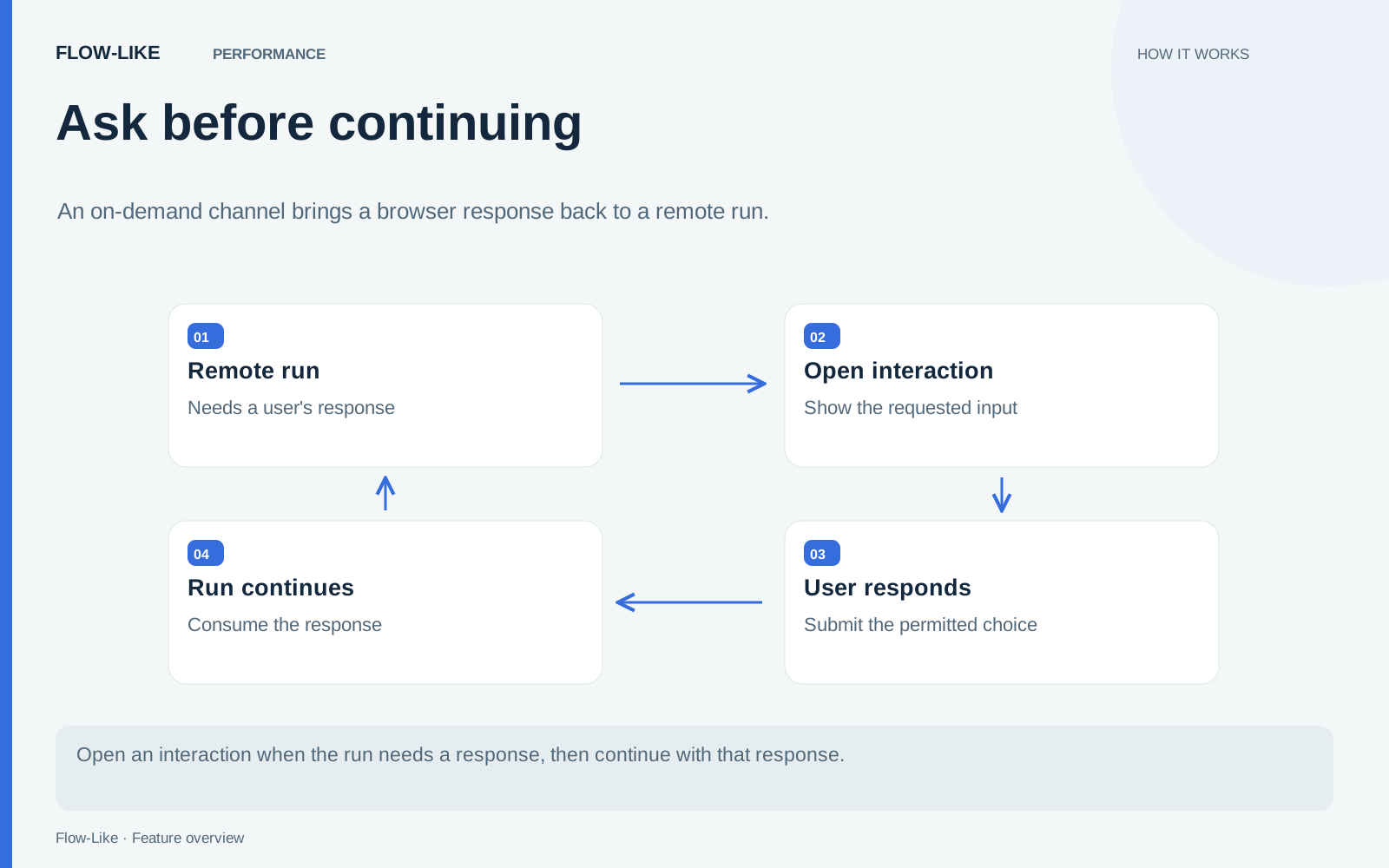
The request travels outward on the run’s existing stream. A Channel supplies the return path to the waiting execution. Before the request is streamed, the runtime opens a ticket and attaches its reply handle. That ordering gives even a quick reply somewhere to go.
The interaction wait helper then waits for a response, expiry, cancellation, or closure. The Single Choice node exposes the returned label and whether a response was received.
The configured deployment transport handles the reply route. Channels are opened when an interaction needs them, so a run that never asks for input can avoid a cloud channel connection. The Channel architecture article explains how the available transports carry the same reply contract.
Explore the sequence
The interactive illustration below is a teaching simulation. It does not start a Flow-Like run or grant approval to an app. Use it to follow the relationship between the question, the waiting execution, and the response.
Try the idea · illustrative data
Send a request, then decide how it ends
A remote run asks a browser for a review decision. Try approval, rejection, or a timeout. An old response should not satisfy the next request.
State: idle
Start a request to open a wait.
An interactive explanation using local sample state. It opens no channel and does not approve or execute a real workflow. Waiting is ended manually so you can inspect each outcome.
In the case-summary app, “Continue” leads to the authorized update, while “Cancel” leaves the record unchanged and returns the person to the conversation. The response branch expresses that business rule directly. The channel carries the answer to the waiting run without deciding what the answer means for the app.
Give silence its own outcome
Connect Timeout to a result that leaves the proposed action undone. In the interaction layer, expiry, cancellation, and a closed channel all produce a non-response outcome. Do not infer a business decision from the absence of an answer.
The run also has a lifetime outside the interaction’s requested timeout. A deployment or execution limit can end the work while a person is considering the question. For decisions that must remain open across long periods, design a persisted business process rather than assuming one live run can wait indefinitely.
Keep authorization checks where the consequential action happens. A confirmation is useful evidence of intent within the interaction, but it does not replace the app’s permission checks or validate stale business data. If the proposal may have changed while the person was reading it, recheck the relevant conditions before acting.
A person can read the proposed summary, decide what belongs in the case, and continue in the same conversation. The workflow prepares the work and waits at the decision point. An explicit response branch preserves the person’s choice, while a timeout leaves the action undone so a later run can ask for a fresh decision.
Get automation insights delivered
Sign up for our newsletter to receive the latest updates on Flow-Like, automation best practices, and industry insights. No spam — just valuable content.