
ux redesign flow-editor
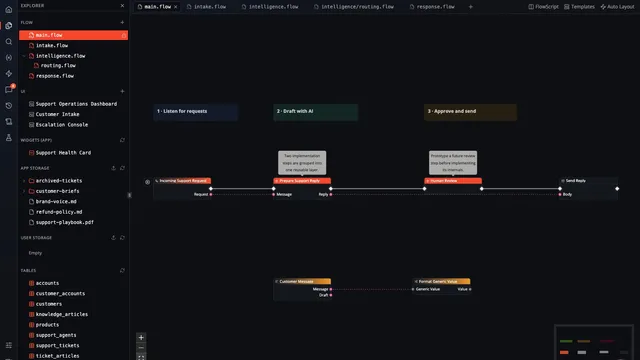
The Flow Page Grew Beyond the Canvas
The redesigned Flow page adds nested module documents, integrated files, multiple working contexts, and a shell that keeps the whole build within reach.
· Read article
Tag
8 posts in this topic.
The redesigned Flow page adds nested module documents, integrated files, multiple working contexts, and a shell that keeps the whole build within reach.

Compare workflow states in graph and FlowScript views, then separate a changed rule, a new failure path, and a layout adjustment during review.

A look at Flow-Like's per-Board command history, operation ordering, bounded persistence, and the difference between a remote update and a Board reset.

Use modules, presence, and explicit conflict review to collaborate across FlowScript and the canvas without losing the meaning of overlapping changes.

Use Compact and Routed layout on the same workflow, inspect automatic reroute nodes, and choose an arrangement that helps the next reader follow the data.

Review group suggestions, inspect the connections crossing each boundary, and organize a large workflow without hiding the decisions that matter.

Use connection context, compatible-node filtering, signatures, and recent entries to find the next operation while building a Flow-Like workflow.

Follow a support-routing change through its policy file, table, page, FlowScript, and canvas without losing your place in the Board.